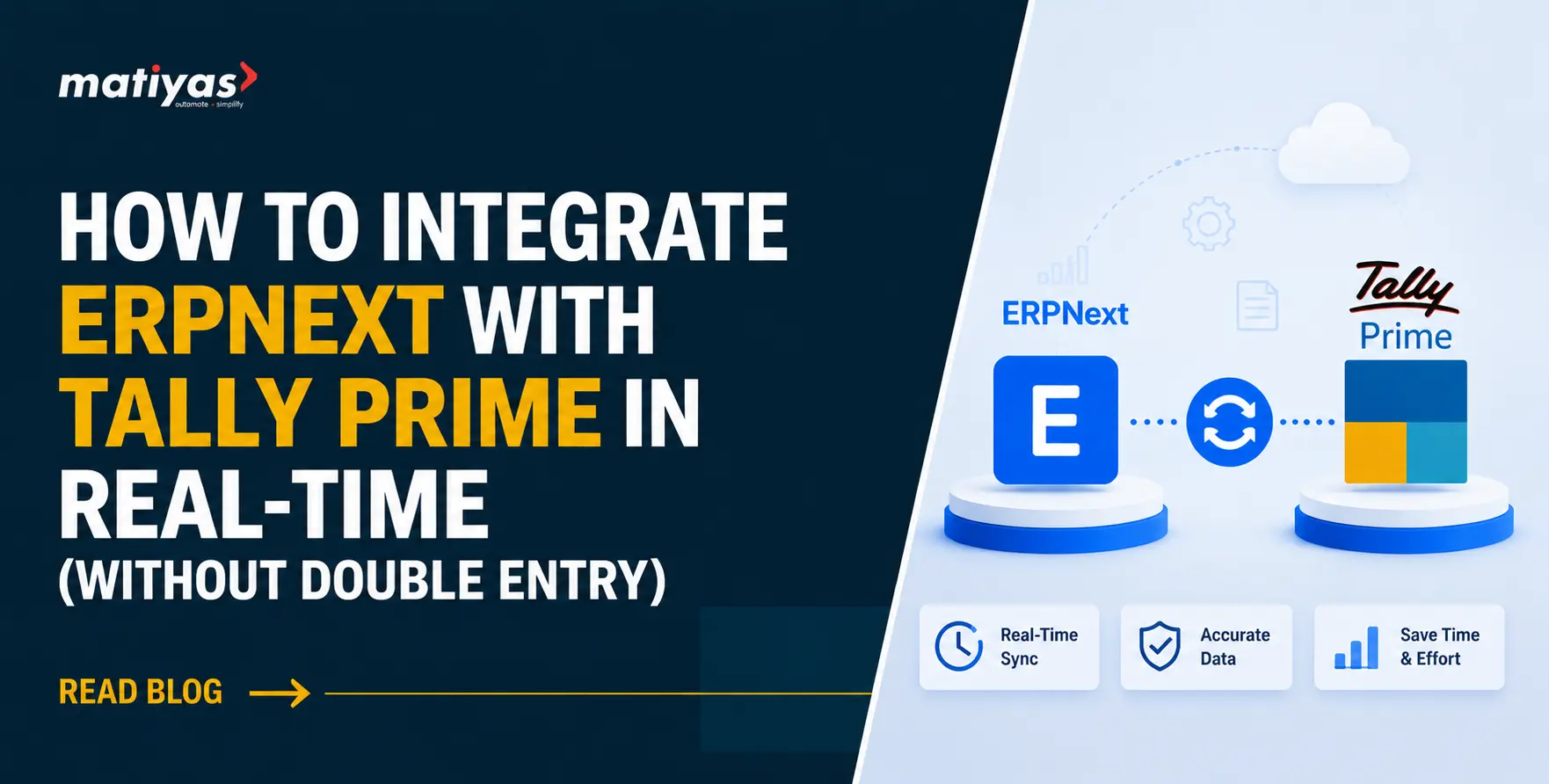
Businesses often use ERPNext to manage manufacturing, inventory, sales, purchasing, and other operations while continuing to use Tally Prime for accounting. Integrating both systems can help businesses reduce duplicate data entry, improve data accuracy, and keep financial information synchronized.
In this guide, we explain how ERPNext Tally Integration works, including data mapping, invoice and payment synchronization, Tally voucher mapping, API-based integration, and common implementation challenges.
What Is ERPNext Tally Integration?
ERPNext Tally Integration connects ERPNext with Tally Prime so businesses can synchronize relevant operational and accounting data between both systems. Instead of manually exporting and entering information, businesses can automate the transfer of invoices, payments, customer data, supplier details, and other required records.
This ERPNext Integration with Tally helps maintain consistent data across systems while reducing repetitive accounting work and manual errors. For businesses connecting ERPNext with multiple external applications, ERPNext Integration Services can provide a structured approach to data exchange and workflow automation.
Why Businesses Integrate ERPNext with Tally Prime
Businesses may choose Tally Prime ERPNext Integration when they want to use ERPNext for day-to-day operations while continuing to rely on Tally for accounting. Integration can help businesses:
- Continue using existing Tally accounting workflows
- Manage operations through ERPNext
- Reduce duplicate data entry
- Minimize manual exports and imports
- Keep operational and financial data aligned
- Adopt ERPNext without immediately replacing existing accounting processes
ERPNext and Tally Prime: Why Use Both Systems?
ERPNext and Tally Prime serve different business needs, so some organizations choose to use both rather than replace one system entirely. Tally Integration with ERPNext allows businesses to connect operational processes in ERPNext with their established accounting workflows in Tally Prime.
With the right integration approach, businesses can define which data should move between the systems and whether synchronization should happen in real time or on a scheduled basis.
How Does ERPNext Tally Integration Work?
ERPNext Tally Integration connects ERPNext and Tally Prime through an API or integration layer that transfers selected business and accounting data between the two systems.
A typical ERPNext to Tally integration flow looks like:
ERPNext → Integration Layer/API → Tally Prime
When two-way synchronization is required, data can also flow in the opposite direction:
Tally Prime → Integration Layer/API → ERPNext
The integration is configured according to the business requirements, including which masters, transactions, and accounting records need to be synchronized.
ERPNext Tally Integration Architecture
A typical ERPNext Tally API integration involves the following steps:
- ERPNext: Business transactions and master data are created in ERPNext.
- API/Integration Layer: The integration receives the required data.
- Data Transformation & Mapping: ERPNext data is converted and mapped to the corresponding Tally structure.
- Tally Interface: The mapped information is sent to Tally Prime.
- Validation: The system checks required fields, mappings, and transaction details.
- Synchronization Log: The integration records successful, failed, or pending synchronization for tracking and reconciliation.
This approach helps maintain consistent data while reducing manual transfers between ERPNext and Tally.
Real-Time vs Scheduled ERPNext Tally Synchronization
The right ERPNext Tally data synchronization method depends on the type and volume of data being exchanged.
| Real-Time Sync | Scheduled Sync |
|---|
| Data is synchronized shortly after a transaction occurs | Data is synchronized at defined intervals |
| Useful for time-sensitive financial transactions | Suitable for batch processing |
| Requires reliable integration infrastructure | Can be simpler for selected workflows |
| Provides more immediate data availability | Can reduce the frequency of system communication |
What Data Can Be Synced Between ERPNext and Tally?
With ERPNext Tally Data Synchronization, businesses can transfer selected master data, accounting information, and transaction-related records between ERPNext and Tally Prime. The exact data synchronized depends on the business workflow and integration requirements.
Customer and Supplier Master Data: ERPNext customer Tally integration and ERPNext supplier Tally integration can synchronize customer and supplier information with the corresponding ledgers in Tally. Proper Tally ledger mapping helps ensure that transactions are posted to the correct accounts.
Typical information may include:
- Customer and supplier names
- Contact details
- Tax information
- Billing and shipping details
- Ledger/account references
Item and Stock Master Data: ERPNext item Tally integration can transfer relevant item information to Tally’s stock item structure. This helps keep product and inventory records aligned across both systems.
Depending on the integration scope, data may include:
- Item name and code
- Item groups
- Units of measure
- HSN/SAC details
- Opening or relevant stock information
Chart of Accounts and Ledger Data: For effective Tally ERPNext accounting integration, the ERPNext Chart of Accounts needs to be mapped correctly with the relevant Tally ledgers.
ERPNext Tally ledger mapping can help align:
- Income and expense accounts
- Customer and supplier ledgers
- Bank and cash accounts
- Tax ledgers
- Other accounting heads
Accurate mapping is important for maintaining consistent accounting records during synchronization.
Tax, GST, HSN and SAC Information: ERPNext Tally GST integration can synchronize relevant tax information required for accounting and invoicing. Depending on the configuration, this may include GST rates, tax ledgers, HSN/SAC codes, and applicable tax details.
Proper ERPNext Tally tax integration helps reduce mismatches and supports more consistent financial records across both systems.
ERPNext to Tally Voucher and Transaction Mapping
A key part of ERPNext Tally Integration is mapping ERPNext transactions to the appropriate Tally Prime voucher types. Proper ERPNext Tally voucher mapping ensures that financial transactions are transferred to the correct ledgers and accounting structures.
The exact mapping can vary based on the company’s Tally configuration and accounting requirements.
| ERPNext Transaction | Typical Tally Mapping |
|---|
| Sales Invoice | Sales Voucher |
| Purchase Invoice | Purchase Voucher |
| Payment Entry | Payment Voucher |
| Receipt Entry | Receipt Voucher |
| Sales Return | Credit Note |
| Purchase Return | Debit Note |
| Journal Entry | Journal Voucher |
ERPNext Sales Invoice to Tally Sales Voucher
An ERPNext sales invoice to Tally integration can transfer invoice details such as customer, items, quantities, taxes, and amounts to the relevant Tally sales voucher.
This ERPNext Tally sales invoice integration helps reduce manual invoice entry and keeps sales and accounting records aligned.
ERPNext Purchase Invoice to Tally
With ERPNext purchase invoice to Tally integration, purchase transactions can be transferred to the appropriate Tally purchase voucher.
The synchronized information may include supplier details, items, quantities, taxes, and invoice values, depending on the integration configuration.
ERPNext Payment Entry to Tally
An ERPNext payment entry to Tally integration can synchronize payment information with the appropriate Tally payment or receipt voucher.
This ERPNext Tally payment integration can help maintain consistent payment records and reduce duplicate accounting work.
Sales Return and Purchase Return Synchronization
Return transactions can also be included in the integration workflow.
- ERPNext sales return Tally → Typically mapped to a Credit Note
- ERPNext purchase return Tally → Typically mapped to a Debit Note
The exact voucher mapping should be configured according to the company’s accounting process.
Journal Entries and Other Accounting Transactions
ERPNext journal entry Tally integration can transfer journal-based accounting transactions to the corresponding Tally journal voucher.
Other ERPNext Tally accounting entries can also be synchronized when they are included in the defined integration scope, helping businesses maintain more complete financial records across both systems.
ERPNext Tally Data Mapping: A Practical Example
Effective ERPNext Tally Data Mapping connects ERPNext records with their corresponding structures in Tally Prime. Proper ERPNext Tally ledger mapping and voucher mapping help ensure that synchronized transactions are recorded in the correct accounts.
A typical mapping may look like this:
| ERPNext Transaction | Typical Tally Mapping |
|---|
| Sales Invoice | Sales Voucher |
| Purchase Invoice | Purchase Voucher |
| Payment Entry | Payment Voucher |
| Receipt Entry | Receipt Voucher |
| Sales Return | Credit Note |
| Purchase Return | Debit Note |
| Journal Entry | Journal Voucher |
This ERPNext Tally integration mapping is only a general example. The actual mapping depends on the company’s Tally configuration, Chart of Accounts, tax setup, voucher configuration, master data, and integration rules.
Before going live, businesses should validate the mapping with their accounting and implementation teams to ensure transactions are posted correctly.
How to Integrate ERPNext with Tally Prime Step by Step
A successful ERPNext Tally integration process starts with clearly defining the data, transactions, and synchronization rules. The following steps provide a practical approach to ERPNext to Tally integration.
Step 1 — Define the Integration Scope
Start by identifying the ERPNext Tally integration requirements. Decide:
- Which system will manage operations?
- Which system will remain the accounting master?
- Which masters and transactions need to sync?
- Will data move one way or both ways?
- Should synchronization be real-time or scheduled?
A structured ERPNext implementation services define the business processes, modules, integrations, data requirements, testing approach, and go-live plan before production deployment.
Step 2 — Identify Data and Master Dependencies
Review the master data required before transactions can be synchronized. ERPNext Tally master data synchronization may include customers, suppliers, items, ledgers, tax details, and other required records.
Create a clear ERPNext Tally data mapping plan before configuring the integration.
Step 3 — Map ERPNext Documents to Tally Vouchers
Define how ERPNext transactions correspond to Tally voucher types. ERPNext Tally voucher mapping may include sales invoices, purchase invoices, payments, receipts, returns, and journal entries.
This ERPNext to Tally mapping should be validated against the company’s accounting structure.
Step 4 — Configure the API and Integration Layer
Set up the required ERPNext Tally API integration and communication layer. The integration should handle data transfer, transformation, authentication, and synchronization between ERPNext and Tally Prime.
Step 5 — Configure Validation and Error Handling
Set rules to identify missing data, incorrect mappings, duplicate transactions, and failed synchronization. Proper ERPNext Tally integration error handling makes it easier to identify and resolve synchronization issues.
Step 6 — Test Before Production Synchronization
Perform ERPNext Tally integration testing using sample masters and transactions before going live. Verify that invoices, payments, taxes, ledgers, and voucher details are transferred correctly.
Step 7 — Monitor and Maintain the Integration
After deployment, regularly monitor synchronization logs, failed transactions, and data consistency. Ongoing ERPNext Tally integration services and support can help maintain reliable synchronization as business requirements change.
Common ERPNext Tally Integration Challenges
While ERPNext Tally Integration can reduce manual work, connecting two systems with different data structures and accounting workflows can create implementation challenges. Identifying these issues early helps businesses build a more reliable integration.
- Different Data Structures and Terminology: ERPNext and Tally Prime organize business and accounting information differently. For example, an ERPNext Customer, Supplier, Purchase Invoice, or Payment Entry may need to be mapped to a specific Tally ledger or voucher structure.
Accurate ERPNext Tally data mapping and ERPNext Tally ledger mapping are therefore essential for consistent synchronization.
- Duplicate Transactions: Duplicate records can occur when the same transaction is processed more than once or when synchronization is retried without proper checks.
Using unique transaction identifiers, synchronization status, and duplicate validation can help prevent ERPNext Tally duplicate entries.
- Master Data Mismatch: Differences in customer, supplier, item, ledger, or account information can cause ERPNext Tally synchronization problems.
Master data should be mapped and validated before transaction synchronization begins.
- Tax and GST Mapping Issues: Differences in tax configurations can create problems when transferring invoices between ERPNext and Tally. ERPNext Tally GST integration should account for applicable GST rates, tax ledgers, HSN/SAC information, and other required tax details.
Proper ERPNext Tally tax mapping helps reduce accounting discrepancies.
- Failed or Partial Synchronization: Network issues, incorrect mappings, missing fields, authentication problems, or invalid transaction data can result in failed or partially synchronized records.
A reliable integration should maintain logs and error messages so ERPNext Tally sync errors can be identified, corrected, and resynchronized without creating duplicate records.
How to Prevent Duplicate Entries in ERPNext Tally Integration
Preventing duplicate records is an important part of ERPNext Tally Integration. A well-designed ERPNext Tally data sync process should track each transaction and verify its status before creating a new entry in Tally.
Businesses can reduce ERPNext Tally duplicate entries by using:
- Unique transaction IDs: Assign a unique reference to each synchronized transaction.
- Sync status tracking: Record whether each transaction is pending, successful, failed, or already synchronized.
- API response tracking: Store responses from Tally to confirm whether a transaction was successfully processed.
- Retry logic: Retry failed transactions without creating a new duplicate entry.
- Duplicate checks: Verify existing transaction references before sending data again.
- Error logs: Maintain detailed logs for failed or rejected transactions.
- Reconciliation: Regularly compare ERPNext and Tally records to identify missing or duplicate transactions.
These controls make Tally ERPNext synchronization more reliable and easier to monitor as transaction volumes increase.
Real-Time ERPNext to Tally Synchronization
ERPNext Tally Real-Time Integration enables selected business and accounting transactions to be transferred between ERPNext and Tally Prime shortly after they are created. Using an ERPNext Tally API integration approach can reduce manual data transfer and keep financial records more closely aligned.
When Real-Time Synchronization Makes Sense
ERPNext Tally real-time sync can be useful when businesses need accounting data to become available in Tally without waiting for a scheduled batch process.
It can be considered for:
- High-volume transaction environments
- Time-sensitive accounting workflows
- Frequent invoice and payment processing
- Businesses that need faster financial visibility
- Processes where manual exports and imports create delays
However, not every record needs to be synchronized in real time. The integration should be configured according to the business workflow and transaction requirements.
What Transactions Should Be Synchronized in Real Time?
Depending on the integration scope, ERPNext Tally transaction sync may include:
- Sales invoices – Customer, item, tax, and invoice values
- Purchase invoices – Supplier, item, tax, and purchase values
- Payments – Payment details and linked accounts
- Receipts – Customer receipts and relevant ledger information
- Returns – Sales and purchase return transactions
- Journal entries – Selected accounting adjustments and entries
A well-planned ERPNext Tally accounting integration should synchronize only the transactions required by the business while maintaining proper validation and duplicate checks.
ERPNext Tally Integration for Businesses That Want to Keep Tally
Businesses do not always need to replace Tally when adopting ERPNext. With the right ERPNext Tally integration services, companies can continue using Tally Prime for accounting while using ERPNext to manage broader operational processes.
This approach can help businesses preserve existing accounting workflows and reduce the disruption associated with moving completely from one system to another.
Continue Accounting in Tally While Running Operations in ERPNext
With ERPNext with Tally Prime, businesses can use ERPNext for areas such as manufacturing, inventory, purchasing, sales, and operations while maintaining their established accounting processes in Tally.
An ERPNext Tally integration can synchronize the required financial transactions between the two systems, allowing each platform to support the workflows it is best suited for.
Reduce Manual Export and Import Between ERPNext and Tally
Manual exports, spreadsheets, and repeated data entry can create delays and increase the risk of errors. ERPNext Tally automation can reduce these manual steps by transferring selected records between ERPNext and Tally automatically.
Through ERPNext Tally data synchronization, businesses can define which masters and transactions should be transferred and when they should be synchronized, making the overall Tally ERPNext integration process more efficient and manageable.
Benefits of ERPNext Tally Integration
A well-planned ERPNext Tally Integration can connect operational and accounting workflows while reducing repetitive manual processes. Key ERPNext Tally integration benefits include:
- Reduce Duplicate Data Entry: Automated synchronization reduces the need to enter the same customer, invoice, payment, or accounting information in both systems.
- Improve Accounting Data Accuracy: Consistent data transfer can reduce manual entry errors and help maintain more reliable accounting records.
- Synchronize Business and Financial Data: Tally ERPNext integration helps connect operational transactions in ERPNext with relevant financial records in Tally Prime.
- Reduce Manual Export and Import: ERPNext Tally automation can reduce dependency on spreadsheets, manual exports, and repeated imports between systems.
- Improve Operational Visibility: When relevant business and financial data stays synchronized, teams can access more consistent information for monitoring operations and financial performance.
- Support Existing Tally Workflows: Businesses can continue using established Tally accounting processes while adopting ERPNext for manufacturing, inventory, sales, purchasing, and other operational requirements.
How to Choose an ERPNext Tally Integration Partner
Choosing the right ERPNext Tally Integration Services provider is important for building a reliable connection between ERPNext and Tally Prime. Look for a partner with both ERP and accounting integration experience. Businesses should also evaluate the provider’s ERPNext consulting experience, implementation methodology, integration capabilities, and ongoing support. Explore our ERPNext Consulting Services to understand how Matiyas approaches ERPNext planning, integration, customization, and implementation.
- ERPNext Integration Experience: Check whether the ERPNext Tally Integration Company has experience with ERPNext implementation, customization, workflows, and third-party integrations.
- Tally Prime Integration Expertise: The ERPNext Tally Integration Partner should understand Tally Prime’s accounting structure, ledgers, vouchers, taxation, and data requirements.
- API and Custom Integration Capability: Choose a provider that can design Tally ERPNext Integration Services around your specific requirements, including API connectivity, data transformation, one-way or two-way synchronization, and real-time or scheduled transfers.
- Data Mapping and Migration Experience: Proper mapping of customers, suppliers, items, ledgers, taxes, invoices, payments, and vouchers is essential for accurate synchronization. Experience with data migration is also valuable when historical records need to be transferred.
- Testing, Monitoring and Support: The integration should be thoroughly tested before going live. Ongoing monitoring, error handling, reconciliation, and technical support can help maintain reliable synchronization as business requirements evolve.
Why Choose Matiyas for ERPNext Tally Integration?
Matiyas provides ERPNext Tally Integration Services designed around each business’s operational and accounting requirements. As an ERPNext Tally Integration Partner, we focus on connecting ERPNext with Tally Prime through structured data mapping, API integration, and customized workflows.
ERPNext Implementation and Integration Expertise
Our experience with ERPNext Integration Services allows us to understand both ERPNext workflows and the business processes that need to connect with external accounting systems.
Custom Workflows and Data Mapping
Every business has different accounting structures and transaction flows. We map customers, suppliers, items, ledgers, invoices, payments, taxes, and other required records according to the defined integration requirements.
API-Based Tally Prime Integration
Our Tally Prime ERPNext Integration approach can include API-based data exchange, transaction synchronization, validation, and error handling based on the required workflow.
Implementation, Testing and Support
From integration planning and configuration to testing, deployment, monitoring, and ongoing support, Matiyas can help manage the integration lifecycle.
Proven ERPNext Tally Integration Experience
Our Tally integration success story demonstrates how Matiyas approaches real-world ERPNext and Tally integration requirements. The case study covers the business challenge, integration approach, data synchronization, and implementation outcomes.
Get Free Demo for ERPNext Tally Integration.
Conclusion: Connect ERPNext and Tally Without Repeating Financial Data
ERPNext Tally Integration allows businesses to connect their operational workflows in ERPNext with established accounting processes in Tally Prime. With proper data mapping, voucher configuration, API integration, validation, and synchronization controls, businesses can reduce manual data entry and maintain more consistent records across both systems.
Whether you need real-time synchronization, invoice and payment integration, or a customized data flow, Matiyas ERPNext Tally Integration Services can be configured around your business requirements.
Looking to connect ERPNext with Tally Prime? Talk to Matiyas about your integration requirements.
Frequently Asked Questions About ERPNext Tally Integration







 "I am quite happy with the ERP solution provided by Matiyas. Before we implemented their system, our organization was struggling with inefficient processes and fragmented data. Their customized ERP solution not only streamlined our workflows but also provided real-time insights into our operations. The customer support from Matiya's Team has been exceptional throughout the journey."
 "Matiyas offered us a functionally strong and automated solution to address the end-to-end needs of our business operation. This solutions will be able to scale and grow our business and it will surely reduce manual interventions."
 "I wanted to thank you Matiyas team to set-up the ERP system based on our business process. The assistance was invaluable in helping my company get as we requested. We sincerely appreciate your efforts and thanks again Matiyas team to provide us a best solution with the erp system."

 "The implementation of the Matiyas ERP solution has revolutionized our workflow. The automation of previously manual processes has not only saved us time but also significantly reduced errors. It’s like having an extra set of hands on our team, streamlining operations and boosting productivity"



 "Our company is very new to ERP, we tried to implement ERP by ourselves, however along the way we found struggles as we are very new. We are lucky HasanAli from Matiyas helped us in many ways, from a simple question to very complex developments and deployments. Rates are reasonable too! We are happy that Matiyas is there to help us."
 "The folks at Matiyas Software are the best. They're skilled, work quickly and professionally, and were able to tailor ERP to our exact specifications. Would use them again."
 "Very knowledgeable and prompt and professional. I highly recommend Matiyas for any ERP customizations."