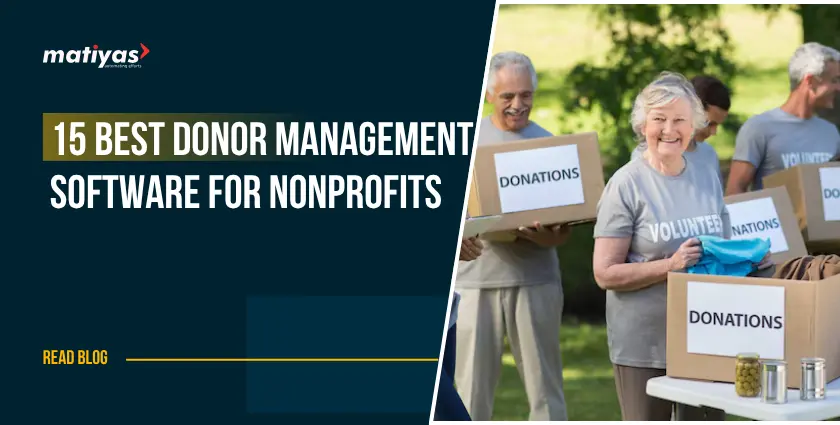
The best donor management platform depends on the type of nonprofit, its fundraising model and how much operational complexity it needs to manage.
Best for small nonprofits
1. Little Green Light
Best for: Small organisations that need a structured donor database without enterprise-level complexity.
Key features: Constituent records, gift tracking, acknowledgements, membership functions, fundraising records and reporting.
Pricing: The official pricing page lists $45 per month for up to 2,500 constituent records, with higher tiers based on record count. Unlimited users are included, and online donation processing is offered through a separate payment arrangement.
Pros
- Clear published pricing.
- Record-based pricing can suit small teams.
- Useful core donor-management features.
Cons
- Payment-processing costs need separate review.
- Organisations requiring complex grant accounting may need additional systems.
2. DonorDock
Best for: Small and growing nonprofits that want donor relationship tools and fundraising workflows.
Key features: Donor profiles, fundraising activity, engagement workflows and reporting, depending on the selected plan.
Pricing: Confirm the current plan and quote with the vendor before publication.
Pros
- Worth evaluating for teams moving away from spreadsheets.
- Designed around nonprofit donor relationships.
Cons
- Confirm included features, record limits, onboarding and support costs.
- Compare integrations against the tools your organisation already uses.
3. Givebutter
Best for: Small nonprofits that prioritise online fundraising, campaigns and events.
Key features: Donation forms, fundraising pages, CRM, event and auction tools, campaign reporting and integrations.
Pricing: Givebutter advertises a free core fundraising platform and paid Givebutter Plus plans. Its fee structure depends on the payment and platform arrangement; review the current pricing page carefully.
Pros
- Accessible starting point for digital fundraising.
- Combines donor records with fundraising activities.
- Supports campaign and event use cases.
Cons
- Payment-processing and platform fee terms require careful review.
- Organisations with complex finance and grant reporting may need another system.
4. Network for Good
Best for: Small nonprofits that want fundraising tools supported by guidance and coaching.
Key features: Donor management, fundraising pages, auctions, donor segmentation and fundraising coaching through Bonterra’s product ecosystem.
Pricing: Request a current quote and confirm the available plans, trial terms and transaction fees.
Pros
- Combines software with fundraising guidance.
- Designed around the needs of smaller nonprofits.
- Remains a current product within Bonterra’s portfolio.
Cons
- Pricing is less directly comparable with published flat-rate tools.
- Confirm exactly what is included in the selected plan.
5. Keela
Best for: Small and growing nonprofits that want donor and volunteer management alongside email marketing.
Key features: Donor and volunteer records, email marketing, reporting and fundraising-related tools.
Pricing: The official pricing page lists plans starting at $190 per month for up to 1,000 contacts, with higher contact bands and custom pricing above the published limits.
Pros
- Combines several nonprofit communication and management functions.
- Published contact-based price bands make initial comparison easier.
Cons
- May cost more than basic donor database tools.
- Contact limits and included services should be checked against future growth.
Best for growing nonprofits
6. Bloomerang
Best for: Nonprofits focused on donor engagement, retention and fundraising relationships.
Key features: Donor management, segmentation, engagement insights, task management, grant tracking and reporting. Its wider Giving Platform combines CRM, fundraising and volunteer products.
Pricing: Bloomerang lists CRM from $125 per month and its broader Giving Platform from $242 per month on its pricing page, with annual billing and product-specific terms. Confirm the current bundle and requirements.
Pros
- Strong focus on donor relationships and engagement.
- Offers tools to segment supporters and track fundraising activity.
- Multiple products can support broader fundraising workflows.
Cons
- Costs depend on which products are needed.
- Organisations should compare the total bundle with their existing tools.
7. DonorPerfect
Best for: Established nonprofits seeking a fundraising CRM with donor records, gifts and reporting.
Key features: Donor database, gift tracking, fundraising tools, reporting and integrations, depending on plan and configuration.
Pricing: Obtain a current quote directly from DonorPerfect. Include onboarding, data migration, payment processing, training and optional modules in the comparison.
Pros
- A dedicated fundraising platform.
- Worth evaluating for organisations with established donor-management processes.
Cons
- Published starting prices may not be directly comparable with simpler tools.
- Confirm the scope of included integrations and support.
8. Virtuous
Best for: Growing nonprofits that use relationship-based fundraising and want automated donor engagement.
Key features: Donor and pipeline management, marketing communications, events, reporting, workflow automation and partner integrations.
Pricing: Virtuous offers pricing tailored to organisational needs, with platform options based on fundraising scale. Contact the vendor for a quote.
Pros
- Designed around donor relationships and fundraising engagement.
- Combines CRM capabilities with automation and reporting.
Cons
- Requires a vendor-led evaluation for accurate pricing.
- Confirm implementation requirements and internal administration needs.
9. Neon CRM
Best for: Growing nonprofits that want donor management, fundraising and optional membership or event features.
Key features: Supporter profiles, campaigns, donation forms, recurring gifts, email communications, reporting and grant management.
Pricing: Neon CRM lists plans starting at $99 per month, with total pricing based on revenue and optional modules.
Pros
- Combines donor records and fundraising functions.
- Can expand into memberships, events and volunteers.
- Published starting price helps initial screening.
Cons
- Additional modules increase the total subscription.
- Check whether revenue-based pricing suits the organisation’s fundraising pattern.
Best for large nonprofits and enterprise
10. Blackbaud Raiser’s Edge NXT
Best for: Larger nonprofits with complex fundraising and donor-management requirements.
Key features: Fundraising CRM, donor information, gift tracking, fundraising intelligence and reporting.
Pricing: Blackbaud uses personalised quotations based on organisational size, selected solutions, users and support needs.
Pros
- Dedicated fundraising CRM for complex donor programmes.
- Worth evaluating for organisations with substantial fundraising operations.
Cons
- Requires a tailored pricing and implementation assessment.
- Confirm the total cost of the required product suite.
11. Salesforce Nonprofit Cloud
Best for: Nonprofits with complex data models, integrations and custom workflows.
Key features: Nonprofit CRM data structures, fundraising, programme management, volunteer functions and automation, depending on edition.
Pricing: Salesforce’s nonprofit pricing page lists editions with per-user monthly prices, including plans at $70 and $125 per user per month on its current pricing page. Availability, annual contract terms, usage restrictions and included products vary by edition and region.
Pros
- Flexible platform for complex CRM requirements.
- Useful where integrations and customised workflows are central to operations.
Cons
- Configuration, administration and implementation can add significant cost.
- Organisations should assess whether they have the technical resources to maintain the platform.
12. Bonterra EveryAction
Best for: Organisations that need coordinated fundraising, outreach and constituent engagement.
Key features: Fundraising and engagement tools designed for larger or more complex nonprofit operations.
Pricing: Request a current quote and confirm which modules, services and support are included.
Pros
- Part of a broader nonprofit software portfolio.
- Worth evaluating for organisations with coordinated fundraising and outreach needs.
Cons
- Product fit depends on the organisation’s operating model.
- Compare it with Network for Good carefully; they are distinct Bonterra products aimed at different needs, not unrelated vendors.
Best for membership-based organisations
13. WildApricot
Best for: Associations, membership organisations and nonprofits managing renewals and events.
Key features: Membership records, renewal management, events, communications and website-related membership tools.
Pricing: The official page lists $66 per month for 100 contacts with monthly billing, with discounts for longer prepayment terms. Pricing changes by contact tier.
Pros
- Membership management is central to the product.
- Useful for renewals and event coordination.
- Published contact tiers support initial budgeting.
Cons
- May not provide the depth of major-gift fundraising workflows required by larger fundraising teams.
- Assess donor segmentation and grant reporting before choosing it as the main donor CRM.
14. Donorbox
Best for: Nonprofits that primarily need online donation collection and digital fundraising campaigns.
Key features: Donation forms, donation pages, crowdfunding, peer-to-peer fundraising, event ticketing and reporting.
Pricing: Donorbox offers a free Standard plan and paid options. Its published pricing page describes platform fees and payment-processing charges that vary by plan. Verify the current schedule before comparing total cost.
Pros
- Strong emphasis on donation collection and online fundraising.
- Useful for organisations launching digital giving campaigns.
- Offers a free entry-level option.
Cons
- A donation-first tool may not replace a more comprehensive donor CRM.
- Compare donor history, reporting, accounting integrations and payment fees carefully.
Best all-in-one nonprofit ERP: Donors, grants and finance
15. Matiyas ERP for Nonprofits
Best for: Nonprofits that need donor-related workflows connected to grants, projects, procurement, inventory and financial management.
Key capabilities to evaluate: ERPNext-based workflows can connect accounting, projects, purchasing, inventory, HR and operational reporting. Donor, grant and beneficiary workflows can be configured or customized to fit requirements.
Pricing: Project-specific. Costs depend on implementation scope, configuration, customisation, migration, integrations, training and support.
Pros
- Can connect operational and financial records instead of treating donor data as a separate silo.
- Suitable for organisations that need project and grant expenditure visibility alongside wider operations.
- Can be tailored to specific nonprofit processes.
Cons
- Not a plug-and-play specialist fundraising CRM in every configuration.
- Advanced donor journeys, online giving, automated receipt or specific payment integrations may require additional tools or custom work.
For a relevant example, see UPO’s ERPNext implementation journey.
Matiyas Solutions works with ERPNext to help nonprofits connect core operations and financial workflows. This approach can be useful when donor information is only one part of a larger operating environment involving grants, projects, procurement, inventory, staff and reporting.
Donors, grants, projects and finance in a connected system
A configured ERP environment can help an organisation connect donor-related records with grant allocations, project budgets, purchases, expenses and financial reports.
For example, a nonprofit may want to track a grant from the funding source through the approved project budget, procurement activity, expenditure records and final donor report. A connected workflow can reduce the manual effort involved in reconciling those records.
What is standard, and what may need customisation?
The exact scope should be validated with the Matiyas technical team before promising specific functionality.
| Requirement | Implementation consideration |
|---|
| Accounting and financial reporting | ERPNext accounting features can support financial records and reporting; fund structures and reporting rules need to be configured appropriately. |
| Grant and project tracking | Project and accounting workflows can be configured to track budgets, activities and expenses; specialised grant workflows may need customisation. |
| Donor records | Donor-related records and workflows should be validated against the target configuration and version. |
| Volunteer and beneficiary management | May require configuration, linked records or custom workflows according to operational requirements. |
| Donation forms and payment gateways | External tools or integrations may be required, depending on the chosen donation channels. |
| Automated donor journeys and fundraising campaigns | A dedicated fundraising CRM may be preferable, or integration/custom development may be needed. |
This distinction matters: an ERP that connects donor-related information to finance is not automatically equivalent to a specialist fundraising CRM with built-in donor journeys, online giving and advanced fundraising intelligence.
Real-world example: UPO’s ERPNext journey
Matiyas’ published UPO nonprofit case study describes United Peace of Organization, a humanitarian nonprofit operating in Sudan, which faced manual workflows, limited operational visibility and reporting challenges.
The documented ERPNext implementation connected finance, HR, procurement, project management and donor reporting. The project also included customised workflows for grant tracking, beneficiary management, inventory monitoring and project dashboards.
The case study describes improved transparency, coordination, resource allocation and donor reporting. These are reported operational outcomes; specific percentage savings or financial ROI should not be added unless supported by verified project data.
Explore Nonprofits ERP Software, ERPNext, ERP Implementation Services and ERP Customization Services.










 "I am quite happy with the ERP solution provided by Matiyas. Before we implemented their system, our organization was struggling with inefficient processes and fragmented data. Their customized ERP solution not only streamlined our workflows but also provided real-time insights into our operations. The customer support from Matiya's Team has been exceptional throughout the journey."

 "Matiyas offered us a functionally strong and automated solution to address the end-to-end needs of our business operation. This solutions will be able to scale and grow our business and it will surely reduce manual interventions."

 "I wanted to thank you Matiyas team to set-up the ERP system based on our business process. The assistance was invaluable in helping my company get as we requested. We sincerely appreciate your efforts and thanks again Matiyas team to provide us a best solution with the erp system."


 "The implementation of the Matiyas ERP solution has revolutionized our workflow. The automation of previously manual processes has not only saved us time but also significantly reduced errors. It’s like having an extra set of hands on our team, streamlining operations and boosting productivity"




 "Our company is very new to ERP, we tried to implement ERP by ourselves, however along the way we found struggles as we are very new. We are lucky HasanAli from Matiyas helped us in many ways, from a simple question to very complex developments and deployments. Rates are reasonable too! We are happy that Matiyas is there to help us."

 "The folks at Matiyas Software are the best. They're skilled, work quickly and professionally, and were able to tailor ERP to our exact specifications. Would use them again."

 "Very knowledgeable and prompt and professional. I highly recommend Matiyas for any ERP customizations."