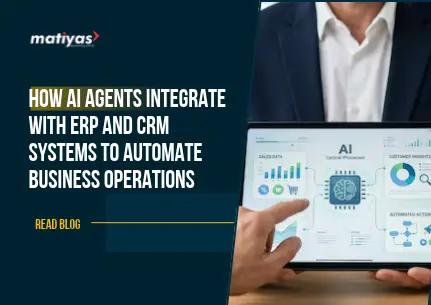
AI agents are software systems designed to understand instructions, process information, make decisions, and perform tasks to achieve specific objectives. They use technologies such as artificial intelligence, large language models (LLMs), APIs, and workflow automation to interact with business applications.
Unlike traditional automation tools that follow fixed rules, AI agents can interpret context, respond to changing situations, and manage multi-step workflows within their assigned permissions.
When integrated with ERP and CRM platforms, AI agents act as intelligent assistants that help businesses manage operational and customer-related activities.
Understanding AI Agents and How They Work
An AI agent generally follows a sequence of activities:
- Understand: Interpret a user request, business event, or system notification.
- Retrieve: Collect relevant information from connected ERP, CRM, or other business applications.
- Analyze: Evaluate the available information and identify the appropriate action.
- Execute: Perform an authorized task through APIs or integrated workflows.
- Monitor: Check the outcome and request human intervention when required.
For example, when a customer requests an order update, an AI agent can retrieve the order details from the ERP system, check its fulfillment status, and generate a response using information from the connected CRM.
AI Agents vs. Traditional Automation
Traditional automation is generally based on predefined rules and workflows. AI agents add contextual understanding and the ability to coordinate multiple actions.
The key difference is that traditional automation follows predefined instructions, whereas AI agents can interpret business context and select appropriate actions within their configured boundaries.
How AI Agents Integrate with ERP Systems
ERP systems bring different business functions together, including finance, inventory, procurement, manufacturing, sales, and human resources.
AI agent integration with ERP allows businesses to automate repetitive activities, retrieve operational information, and support decisions across these departments.
AI agents can connect with ERP platforms through APIs, webhooks, middleware, and other integration mechanisms. Depending on the system architecture, they can read information, initiate workflows, update records, and communicate with employees.
1. Integration with Finance and Accounting Modules
Finance departments manage large volumes of invoices, payments, expenses, and financial transactions. AI agents can assist with several activities.
Common applications include:
- Extracting information from invoices.
- Categorizing financial transactions.
- Identifying overdue payments.
- Monitoring outstanding receivables.
- Assisting with reconciliation workflows.
- Generating financial summaries and reports.
For example, an AI agent can identify overdue customer invoices in an ERP system, retrieve relevant customer information from the CRM, and prepare personalized payment reminders for approval.
This helps finance teams reduce manual administrative work and improve financial visibility.
2. Integration with Inventory and Warehouse Management
Inventory management requires continuous monitoring of stock levels, product movement, and replenishment requirements.
AI agents can analyze inventory information and support warehouse operations through activities such as:
- Monitoring real-time inventory levels.
- Identifying low-stock products.
- Generating replenishment recommendations.
- Analyzing historical demand patterns.
- Highlighting potential stock discrepancies.
- Assisting with warehouse reporting.
For example, when inventory falls below a defined threshold, an AI agent can identify the affected product, review historical consumption, and prepare a purchase requisition for the procurement team.
3. Integration with Manufacturing and Production
Manufacturing businesses manage multiple processes, including production planning, material requirements, work orders, and quality control.
AI agents can interact with manufacturing ERP modules to support production activities.
Potential applications include:
- Monitoring production orders.
- Checking raw material availability.
- Identifying production delays.
- Analyzing machine and production data.
- Highlighting quality-related issues.
- Preparing production performance summaries.
For example, an AI agent can review production schedules and material availability, identify a potential shortage, and notify the production manager before it affects the manufacturing schedule.
4. Integration with Procurement and Supply Chain
Procurement teams coordinate supplier communication, purchase orders, delivery schedules, and material requirements.
AI agents can support procurement workflows by:
- Reviewing purchase requisitions.
- Retrieving supplier information.
- Comparing supplier quotations.
- Monitoring purchase order status.
- Identifying delayed deliveries.
- Preparing supplier communication.
For instance, an AI agent can identify a delayed purchase order, retrieve the supplier’s contact details, prepare a follow-up message, and notify the procurement manager.
How AI Agents Integrate with CRM Systems
CRM systems help businesses manage customer information, sales opportunities, marketing activities, and customer support.
Integrating AI agents with CRM platforms enables businesses to automate customer-related workflows and provide more personalized experiences.
1. Automated Lead Management and Qualification
Sales teams often spend significant time reviewing leads, updating records, and identifying potential customers.
AI agents can support lead management by:
- Collecting lead information from connected sources.
- Analyzing lead details and engagement history.
- Identifying high-priority opportunities.
- Supporting lead scoring.
- Assigning leads based on predefined criteria.
- Preparing personalized follow-up recommendations.
For example, when a new lead enters the CRM, an AI agent can analyze the company’s industry, business requirements, and previous interactions before recommending a priority level to the sales team.
2. AI-Powered Customer Support
Customer support teams handle repetitive questions, service requests, complaints, and order-related inquiries.
AI agents can connect with CRM records and other enterprise systems to retrieve relevant information and assist customers.
Common applications include:
- Answering frequently asked questions.
- Retrieving customer information.
- Checking order and service status.
- Categorizing support tickets.
- Routing requests to the appropriate department.
- Preparing responses for customer service representatives.
For example, a customer asking about an order can receive an update based on information retrieved from the connected ERP system.
3. Sales Pipeline and Follow-Up Automation
Managing sales opportunities requires consistent communication and timely follow-ups.
AI agents can assist sales teams by:
- Monitoring sales opportunities.
- Identifying inactive leads.
- Preparing follow-up reminders.
- Summarizing customer conversations.
- Highlighting potential sales opportunities.
- Generating sales activity reports.
An AI agent can identify opportunities without recent activity and notify the assigned salesperson to take the next step.
4. Customer Data Analysis and Personalization
Customer data is valuable for understanding buying behavior, preferences, and business requirements.
AI agents can analyze customer interactions and CRM records to help businesses:
- Identify customer preferences.
- Analyze purchasing patterns.
- Recommend relevant products or services.
- Identify potential upselling opportunities.
- Support customer retention activities.
- Generate customer interaction summaries.
This enables sales and marketing teams to make more informed decisions and build stronger customer relationships.
How AI Agents Connect ERP and CRM Systems
One of the most valuable applications of enterprise AI agent integration is connecting ERP and CRM systems through intelligent workflows.
ERP systems manage operational and financial information, while CRM platforms focus on customer relationships and sales activities. When these systems work together, businesses can access a more complete view of their operations and customers.
AI agents can coordinate activities across both platforms without requiring employees to manually transfer information between systems.
1. Unified Data Exchange Between ERP and CRM
AI agents can retrieve and exchange relevant information between ERP and CRM systems.
For example:
- Customer information from CRM can be used to support ERP sales order creation.
- Inventory information from ERP can help sales teams check product availability.
- Payment information from ERP can provide visibility into customer account status.
- Order fulfillment details from ERP can support customer communication through CRM.
This reduces information gaps and helps departments work with consistent business records.
2. Automating Workflows Across ERP and CRM
Consider a business that receives a new product inquiry through its CRM system.
An AI agent can coordinate the following workflow:
- A new customer inquiry enters the CRM.
- The AI agent analyzes the customer’s requirements.
- It retrieves relevant product and pricing information.
- It checks inventory availability through the ERP system.
- It prepares a quotation for sales team approval.
- Once the customer confirms the order, the agent initiates the authorized sales order workflow.
- The ERP system processes inventory allocation and order fulfillment.
- Order status information becomes available to the CRM.
- The sales or support team can communicate updates to the customer.
This example demonstrates how AI agents for ERP and CRM systems can connect customer-facing and operational processes.
3. Real-Time Business Insights and Decision-Making
When AI agents access information from ERP and CRM platforms, they can help decision-makers understand business performance more effectively.
For example, an AI agent can combine sales information, inventory data, customer activity, and payment records to prepare business summaries.
Managers can ask questions such as:
- Which products generated the highest sales this month?
- Which customers have pending payments?
- Which sales opportunities are waiting for follow-up?
- Are any high-demand products running low on inventory?
- Which orders are delayed?
Instead of manually navigating multiple systems, authorized employees can retrieve relevant information through natural language interactions.
Key Technologies Behind AI Agent Integration
Integrating AI agents with ERP and CRM systems requires multiple technologies working together. The exact architecture depends on the business requirements, existing software infrastructure, security requirements, and complexity of the workflows.
1. APIs and Middleware Integration
Application Programming Interfaces (APIs) allow different software applications to exchange information and perform authorized actions.
AI agents can use APIs to connect with ERP and CRM platforms, retrieve records, update information, and trigger business workflows.
Middleware and integration platforms can help coordinate communication between applications, especially when businesses use multiple software systems.
Webhooks can also notify connected applications when specific events occur, such as a new sales order or customer inquiry.
2. Large Language Models (LLMs)
Large Language Models help AI agents understand natural language instructions, interpret business questions, summarize information, and generate responses.
For example, a manager can ask an AI agent, “Show me the pending orders for this week.”
The agent can interpret the request, retrieve relevant information from the ERP system, and present the results in a readable format.
3. Retrieval-Augmented Generation (RAG)
Retrieval-Augmented Generation (RAG) connects AI models with relevant external or enterprise knowledge sources.
In an ERP or CRM environment, RAG can help AI agents retrieve information from:
- Product catalogs.
- Company documentation.
- Standard operating procedures.
- Customer support knowledge bases.
- Internal policies.
- Business records accessible through authorized integrations.
This allows AI agents to generate responses based on relevant business information rather than relying only on the knowledge contained in their underlying models.
4. Workflow Orchestration and Automation
Workflow orchestration coordinates multiple tasks and applications to complete a business process.
For example, an AI agent may need to retrieve customer information, check stock availability, prepare a quotation, and request approval.
An orchestration layer helps manage the sequence of these actions, monitor execution, handle errors, and ensure that appropriate approval steps are followed.
For complex workflows, multiple specialized AI agents can collaborate under a defined orchestration framework.
Business Benefits of AI Agents in ERP and CRM Systems
Integrating AI agents with enterprise applications can create operational advantages across different business functions.
1. Reduced Manual Administrative Work
AI agents can handle repetitive activities such as information retrieval, data entry assistance, reporting, reminders, and workflow initiation. This allows employees to focus on higher-value responsibilities.
2. Improved Operational Efficiency
By connecting different applications and automating multi-step workflows, AI agents can reduce delays caused by manual coordination between departments.
3. Faster Business Decision-Making
AI agents can retrieve and summarize information from multiple business systems, helping managers access relevant operational insights more quickly.
4. Better Customer Experiences
AI agents can retrieve customer information, assist with support requests, and provide timely updates using information from connected enterprise applications.
5. Improved Data Visibility
Connecting ERP and CRM information helps businesses gain a more complete understanding of sales activities, customer relationships, inventory, and operational performance.
6. Scalable Business Process Automation
Businesses can gradually introduce AI agents across different departments and workflows as their automation requirements grow.
However, the results depend on integration quality, data accuracy, workflow design, and appropriate human oversight.
Common Challenges in AI Agent Integration
Although AI agents offer significant opportunities, integrating them with existing ERP and CRM platforms requires careful planning.
1. Data Security and Access Control
ERP and CRM systems contain sensitive business and customer information.
Businesses should implement role-based access control, secure authentication, encryption, and activity logging. AI agents should only access information and perform actions permitted by their assigned roles.
2. Integration with Legacy ERP and CRM Platforms
Some organizations use older enterprise applications that may have limited API support or complex customization.
Middleware, integration layers, and carefully designed connectors can help bridge compatibility gaps.
3. Data Quality and System Compatibility
Inconsistent customer records, duplicate entries, outdated inventory information, and incomplete business data can affect AI agent performance.
Businesses should review data quality and establish reliable synchronization processes before deploying AI-powered workflows.
4. AI Accuracy, Monitoring, and Human Oversight
AI agents can misunderstand instructions, retrieve incomplete information, or recommend inappropriate actions.
Organizations should establish clear permissions, testing procedures, monitoring mechanisms, and human approval requirements for sensitive activities.
For example, an AI agent may prepare a purchase order automatically, but final approval should remain with an authorized procurement manager.
Real-World Use Cases of AI Agents in Different Industries
AI agents can support different business requirements depending on the industry, operational structure, and existing enterprise software.
| Industry | AI Agent Application |
|---|
| Manufacturing | Monitor production orders, material availability, and inventory levels. |
| Healthcare | Assist with administrative workflows and patient-related service requests. |
| Retail | Analyze sales trends and support inventory replenishment. |
| Wholesale and Distribution | Automate order processing and customer follow-ups. |
| Pharmaceuticals | Support batch information retrieval and inventory monitoring. |
| Logistics | Assist with shipment tracking and delivery updates. |
For example, a manufacturing business can use AI agents to monitor production orders in its ERP system while retrieving customer delivery requirements from its CRM. If a production delay occurs, the agent can alert the responsible team and prepare a customer communication for approval.
Similarly, a wholesale distributor can use AI agents to check product availability, retrieve customer pricing information, and support order processing across ERP and CRM platforms.
How to Implement AI Agents in Your Existing ERP and CRM Systems
Successful AI agent implementation requires more than connecting an AI model to enterprise software. Businesses need to identify suitable automation opportunities, understand their existing infrastructure, and establish secure integration workflows.
Here are six important steps.
Step 1: Identify Business Processes for Automation
Start by identifying repetitive, time-consuming, and information-intensive activities across departments.
Examples include invoice processing, lead qualification, inventory monitoring, customer support, and order tracking.
Prioritize processes where automation can deliver measurable business value.
Step 2: Evaluate Existing ERP and CRM Infrastructure
Review the existing ERP and CRM platforms, available APIs, database structures, integration capabilities, and security requirements.
This assessment helps determine how AI agents can connect with existing applications without disrupting current operations.
Step 3: Define AI Agent Capabilities and Objectives
Clearly define what each AI agent should accomplish.
For example, an inventory management agent may monitor stock levels and prepare replenishment recommendations, while a CRM agent may qualify leads and assist with customer follow-ups.
Also establish permissions, approval requirements, and performance indicators.
Step 4: Develop and Integrate AI Agents
Develop AI agents based on the required business workflows and connect them with the relevant ERP and CRM systems.
This may involve APIs, middleware, LLMs, RAG, databases, and workflow orchestration tools.
Integration should be designed around business requirements, security, and system compatibility.
Step 5: Test, Monitor, and Optimize Performance
Test AI agents using real-world business scenarios before deploying them across departments.
Monitor factors such as response accuracy, workflow completion, integration reliability, processing time, and error rates.
Collect employee feedback and improve the agent’s instructions, integrations, and workflows.
Step 6: Scale AI Automation Across Business Departments
Once the initial implementation performs reliably, expand AI agent capabilities to other business functions.
For example, a business can begin with customer support automation and gradually introduce inventory monitoring, procurement assistance, financial reporting, and sales workflow automation.
A phased implementation approach helps organizations manage complexity and improve adoption.
Why Choose Matiyas for AI Agent Development and Enterprise Integration?
Implementing AI agents in an enterprise environment requires an understanding of both AI technologies and business software infrastructure.
Matiyas focuses on enterprise software solutions, ERP implementation, custom ERP development, business automation, and digital transformation. This combination of enterprise application knowledge and AI development capabilities can help businesses explore practical AI-powered automation opportunities.
Matiyas offers AI-focused development services to support organizations looking to integrate intelligent capabilities into their existing business processes.
Our AI and Enterprise Integration Capabilities
AI Agent Development
Build custom AI agents designed to perform specific business tasks, retrieve information, and support operational workflows.
AI Workflow Automation
Automate repetitive business activities and coordinate multi-step processes across departments and applications.
Enterprise AI Integration
Connect AI capabilities with existing enterprise applications, databases, and business systems.
Generative AI Development
Develop AI-powered applications that understand natural language, generate content, and assist with business information retrieval.
Custom ERP Development and Integration
Develop and integrate ERP solutions that support business-specific operational requirements.
Whether your organization wants to automate customer interactions, streamline ERP workflows, or connect multiple enterprise applications, the right AI integration strategy can help create more connected and efficient business operations.
Ready to explore AI agents for your business?
Connect with Matiyas to discuss your AI agent development, enterprise integration, and business automation requirements.
Conclusion
AI agents are creating new opportunities for businesses to improve how their ERP and CRM systems work together. By connecting operational data, customer information, and automated workflows, organizations can reduce repetitive tasks, improve information visibility, and support faster business decisions.
From inventory monitoring and procurement assistance to lead qualification and customer support, AI agents can contribute to greater efficiency across multiple business functions.
However, successful implementation depends on selecting the right use cases, establishing secure integrations, maintaining accurate business data, and ensuring appropriate human oversight.
For businesses looking to move beyond traditional automation, integrating AI agents with ERP and CRM systems can be an important step toward more intelligent and connected enterprise operations.
Explore Matiyas AI development and enterprise integration services to discover how AI-powered solutions can support your business transformation.




 "I am quite happy with the ERP solution provided by Matiyas. Before we implemented their system, our organization was struggling with inefficient processes and fragmented data. Their customized ERP solution not only streamlined our workflows but also provided real-time insights into our operations. The customer support from Matiya's Team has been exceptional throughout the journey."

 "Matiyas offered us a functionally strong and automated solution to address the end-to-end needs of our business operation. This solutions will be able to scale and grow our business and it will surely reduce manual interventions."

 "I wanted to thank you Matiyas team to set-up the ERP system based on our business process. The assistance was invaluable in helping my company get as we requested. We sincerely appreciate your efforts and thanks again Matiyas team to provide us a best solution with the erp system."


 "The implementation of the Matiyas ERP solution has revolutionized our workflow. The automation of previously manual processes has not only saved us time but also significantly reduced errors. It’s like having an extra set of hands on our team, streamlining operations and boosting productivity"




 "Our company is very new to ERP, we tried to implement ERP by ourselves, however along the way we found struggles as we are very new. We are lucky HasanAli from Matiyas helped us in many ways, from a simple question to very complex developments and deployments. Rates are reasonable too! We are happy that Matiyas is there to help us."

 "The folks at Matiyas Software are the best. They're skilled, work quickly and professionally, and were able to tailor ERP to our exact specifications. Would use them again."

 "Very knowledgeable and prompt and professional. I highly recommend Matiyas for any ERP customizations."