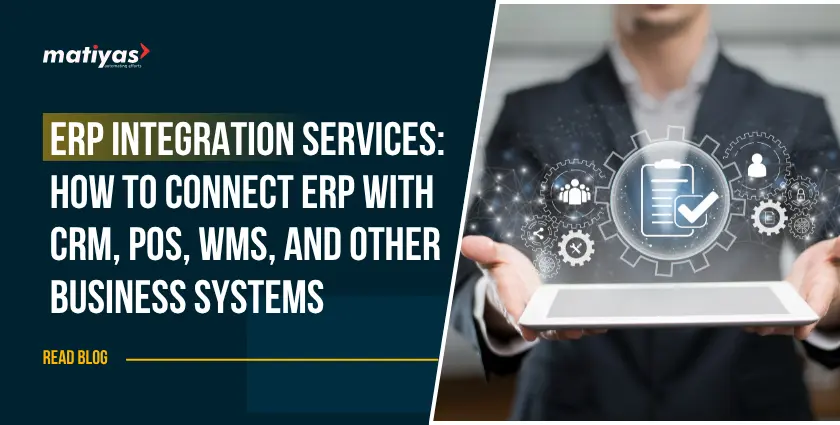
Businesses today rarely rely on a single software system. A company may use an ERP platform for finance and inventory, a CRM for customer management, a POS system for retail sales, a WMS for warehouse operations, and an eCommerce platform for online orders. When these systems operate separately, employees often have to enter the same information multiple times, which can lead to delays, errors, and inconsistent data.
ERP Integration Services help businesses connect these systems and create a more synchronized digital environment. Instead of moving data manually between applications, integrated systems can exchange information automatically through APIs, connectors, webhooks, and other integration technologies.
Whether you want to connect an ERP with CRM, POS, WMS, eCommerce, payment gateways, or banking platforms, the right ERP integration strategy can improve operational efficiency and provide better visibility across the organization.
In this guide, we explore how ERP integration works, the systems businesses commonly connect, the role of APIs, ERPNext integration possibilities, common challenges, and best practices for successful implementation.
What Are ERP Integration Services?
ERP Integration Services involve connecting an enterprise resource planning system with other business applications so that information can be exchanged between them automatically.
An ERP system typically manages core business processes such as accounting, inventory, purchasing, sales, manufacturing, and operations. However, businesses often need specialized applications for activities that are not fully managed within the ERP.
For example, a retailer may use:
- ERP software for accounting and inventory
- CRM software for leads and customer relationships
- POS software for in-store transactions
- WMS software for warehouse management
- Shopify or WooCommerce for online sales
- Payment gateways for online payments
- Banking platforms for financial transactions
Without integration, employees may need to transfer information manually between these systems.
With ERP integration, data can move automatically between connected applications. For example, when a customer places an online order, the integration can transfer the order to the ERP, update inventory, record the customer information, and initiate the required fulfillment process.
How Does ERP Integration Work?
ERP integrations can use different technologies depending on the systems involved. Common approaches include:
- REST and SOAP APIs
- Webhooks
- Pre-built connectors
- Middleware
- Custom integration solutions
- Scheduled data synchronization
- Real-time data synchronization
The right approach depends on the ERP platform, external application, business requirements, data volume, security requirements, and desired level of automation.
Why Do Businesses Need ERP Integration?
Disconnected business systems can create operational problems as a company grows. Employees may spend significant time copying information from one application to another, while management may struggle to get accurate and up-to-date information.
Effective ERP integration can help businesses address these challenges.
1. Reduce Manual Data Entry
When systems are connected, information can automatically move from one application to another. This reduces repetitive data entry and allows employees to focus on higher-value activities.
2. Improve Data Accuracy
Manual data transfer can result in spelling mistakes, duplicate records, incorrect quantities, or outdated information. Automated ERP integrations reduce the risk of these errors.
3. Create Better Data Visibility
Integration allows teams to access more consistent information across departments. Sales, finance, inventory, warehouse, and management teams can work with connected data.
4. Automate Business Processes
ERP integration can automate workflows such as order processing, inventory updates, payment reconciliation, customer synchronization, and invoice generation.
5. Improve Decision-Making
When important business information is synchronized, managers can make decisions based on more current operational data.
How ERP Connects With Different Business Systems
One of the biggest advantages of ERP integration is the ability to connect the ERP with specialized business applications.
ERP Integration With CRM
A CRM system manages customer relationships, leads, opportunities, sales activities, and communication. ERP integration with CRM connects customer-facing activities with back-office operations.
For example, when a sales representative creates a quotation or sales order in the CRM, the information can be transferred to the ERP. Customer information, product details, pricing, order status, and payment information can then remain synchronized.
Common data exchanged between ERP and CRM includes:
- Customer and contact information
- Leads and opportunities
- Quotations
- Sales orders
- Product information
- Pricing
- Invoices
- Payment status
This integration helps sales and finance teams work from connected information instead of maintaining separate records.
ERP Integration With POS
Retail businesses often process hundreds or thousands of transactions through their point-of-sale systems. ERP integration with POS can connect these transactions with inventory, accounting, purchasing, and financial processes.
For example, when a product is sold through the POS system, the integration can automatically update inventory quantities in the ERP. Sales information can also be transferred for accounting and reporting.
A POS integration can synchronize:
- Sales transactions
- Product information
- Stock levels
- Pricing
- Discounts
- Customer information
- Returns
- Payment information
This creates better visibility between retail operations and back-office processes.
ERP Integration With WMS
Warehouse operations depend heavily on accurate inventory information. ERP integration with WMS connects warehouse activities with the company’s broader inventory and business processes.
When an order is created in the ERP, the information can be transferred to the WMS for picking, packing, and dispatch. Once the warehouse completes the operation, the status can be sent back to the ERP.
Typical integration areas include:
- Inventory quantities
- Stock movements
- Purchase receipts
- Sales orders
- Picking and packing
- Warehouse transfers
- Shipment status
- Returns
This helps businesses maintain more accurate inventory information across warehouses and sales channels.
ERP eCommerce Integration
Online businesses need their eCommerce stores and ERP systems to work together. ERP eCommerce integration can connect platforms such as Shopify and WooCommerce with the ERP.
For example, when an online customer places an order, the integration can transfer the order information to the ERP. The ERP can then update inventory, process fulfillment, generate invoices, and send relevant information back to the eCommerce platform.
Commonly synchronized data includes:
- Products
- Product prices
- Customer details
- Online orders
- Inventory
- Shipping information
- Order status
- Returns
This reduces the need for employees to manually copy online orders into the ERP.
ERP Payment Gateway Integration
Businesses that accept online payments can connect their ERP with payment platforms. ERP payment gateway integration can help synchronize transaction information with invoices and orders.
Depending on the payment gateway and ERP capabilities, integration may support:
- Payment status
- Transaction IDs
- Order references
- Payment confirmations
- Refund information
- Invoice updates
This can reduce manual payment tracking and improve financial visibility.
ERP Bank Integration
Financial teams often spend considerable time reconciling bank transactions with accounting records. ERP bank integration can automate parts of this process by transferring transaction information between banking systems and the ERP.
Depending on the bank and integration method, businesses may be able to synchronize:
- Bank transactions
- Payment information
- Account balances
- Transaction references
- Reconciliation data
Automation can make financial operations faster and reduce repetitive reconciliation work.
ERP API Integration: How Does It Work?
An API, or Application Programming Interface, allows different software applications to communicate with each other.
ERP API integration uses APIs to exchange information between the ERP and external systems. An application can send a request to the ERP, receive information, or update specific records based on the available API capabilities.
For example, an eCommerce platform may send a request to the ERP to retrieve current inventory information. The ERP can return the available stock quantity, allowing the online store to display updated inventory.
API-based integration can support:
- Data retrieval
- Data creation
- Data updates
- Data synchronization
- Automated workflows
- Real-time communication
APIs are particularly useful when businesses need to connect an ERP with custom applications or third-party platforms that do not have a ready-made connector.
ERPNext Integration: Connecting ERPNext With Business Applications
ERPNext can also be connected with external applications to create integrated business workflows. ERPNext integration can involve APIs, webhooks, custom applications, and other integration methods depending on the business requirement.
Businesses may use ERPNext integrations to connect their ERPNext environment with eCommerce platforms, communication tools, payment services, banking systems, and other applications.
Examples include:
Shopify ERPNext Integration
A Shopify ERPNext integration can synchronize information such as products, customers, orders, inventory, and fulfillment data between Shopify and ERPNext.
ERPNext WooCommerce Integration
With ERPNext WooCommerce integration, businesses can connect their online WooCommerce store with ERPNext to automate order, product, customer, and inventory synchronization.
ERPNext WhatsApp Integration
ERPNext WhatsApp integration can help businesses connect customer communication workflows with ERPNext. Depending on the implementation, businesses can automate notifications related to orders, invoices, payments, and other events.
ERPNext Payment Gateway Integration
ERPNext payment gateway integration can connect payment processes with sales orders and invoices, helping businesses automate payment-related workflows.
ERPNext Bank Integration
ERPNext bank integration can help synchronize banking information and support financial reconciliation processes where the required banking connectivity is available.
ERPNext AI and Webhook Integrations
Businesses can also explore ERPNext AI integration for specific automation and intelligence use cases. Webhooks can trigger actions when particular events occur, allowing ERPNext to communicate with other applications.
The exact integration architecture should be selected based on the business process, security requirements, API availability, data volume, and long-term maintenance needs.
Common ERP Integration Challenges and How to Overcome Them
Although integration can improve efficiency, poorly planned integrations can create new problems.
Data Inconsistency
Different systems may use different formats, field names, or data structures. A proper data mapping strategy is required before implementation.
Legacy Systems
Older applications may not provide modern APIs. In such situations, middleware, database integration, file-based integration, or custom development may be required.
Security Concerns
Integrated systems exchange business information across applications. Authentication, authorization, encryption, access control, and secure API practices should be considered during implementation.
Integration Failures
Network problems, API errors, invalid data, or service interruptions can cause synchronization failures. Logging, monitoring, validation, and error-handling mechanisms can help identify and resolve these issues.
Scalability
An integration that works for a small business may not be sufficient when transaction volumes increase. The architecture should be designed with future growth in mind.
Best Practices for Successful ERP Integration
A successful ERP integration requires more than simply connecting two systems. Businesses should plan the integration around their actual workflows and future requirements.
1. Define Business Requirements
Identify which processes need integration and what information must move between systems.
2. Map Data Flows
Document where data originates, where it needs to go, how often it should synchronize, and what happens when an error occurs.
3. Select the Right Integration Method
Choose between APIs, webhooks, connectors, middleware, or custom development based on technical and business requirements.
4. Prioritize Data Security
Use secure authentication, appropriate permissions, encryption, and monitoring to protect business information.
5. Test Before Going Live
Test individual data flows and complete business processes before deploying the integration to production.
6. Monitor the Integration
After implementation, monitor synchronization, API responses, failed transactions, and system performance.
7. Plan for Future Growth
A scalable integration architecture makes it easier to add new systems, locations, sales channels, or business processes later.
How to Choose the Right ERP Integration Services Provider
Choosing the right ERP Integration services provider can have a significant impact on the success of an integration project.
Look for a provider with experience in:
- ERP implementation and customization
- API and webhook integration
- CRM, POS, WMS, and eCommerce integrations
- Payment and banking integrations
- ERPNext integrations
- Data migration and synchronization
- Integration security
- Testing and troubleshooting
- Long-term technical support
The provider should also understand your business processes rather than focusing only on the technical connection between two applications.
A good integration solution should be reliable, secure, scalable, and aligned with the way your business operates.
Conclusion
Modern businesses rely on multiple applications to manage sales, customers, inventory, warehouses, finance, eCommerce, and other operations. When these systems operate independently, businesses may face duplicate data, manual work, inconsistent information, and limited visibility.
ERP Integration Services provide a way to connect these systems and automate the flow of information. From ERP integration with CRM, POS, and WMS to eCommerce, payment gateway, and banking integrations, businesses can build a more connected technology environment.
ERPNext can also be integrated with a wide range of applications through APIs, webhooks, and custom integration solutions. The key is to choose an integration approach that matches the company’s processes, technical requirements, security needs, and future growth.
With the right integration strategy and implementation partner, businesses can reduce manual processes, improve data accuracy, automate workflows, and make better use of their ERP investment.



 "I am quite happy with the ERP solution provided by Matiyas. Before we implemented their system, our organization was struggling with inefficient processes and fragmented data. Their customized ERP solution not only streamlined our workflows but also provided real-time insights into our operations. The customer support from Matiya's Team has been exceptional throughout the journey."
 "Matiyas offered us a functionally strong and automated solution to address the end-to-end needs of our business operation. This solutions will be able to scale and grow our business and it will surely reduce manual interventions."
 "I wanted to thank you Matiyas team to set-up the ERP system based on our business process. The assistance was invaluable in helping my company get as we requested. We sincerely appreciate your efforts and thanks again Matiyas team to provide us a best solution with the erp system."

 "The implementation of the Matiyas ERP solution has revolutionized our workflow. The automation of previously manual processes has not only saved us time but also significantly reduced errors. It’s like having an extra set of hands on our team, streamlining operations and boosting productivity"



 "Our company is very new to ERP, we tried to implement ERP by ourselves, however along the way we found struggles as we are very new. We are lucky HasanAli from Matiyas helped us in many ways, from a simple question to very complex developments and deployments. Rates are reasonable too! We are happy that Matiyas is there to help us."
 "The folks at Matiyas Software are the best. They're skilled, work quickly and professionally, and were able to tailor ERP to our exact specifications. Would use them again."
 "Very knowledgeable and prompt and professional. I highly recommend Matiyas for any ERP customizations."